
Keep TestFlight moving from one place.
Builds, groups, invites, and feedback should not live in five browser tabs. Helm brings TestFlight into a native Mac and iPhone workflow you can actually finish.
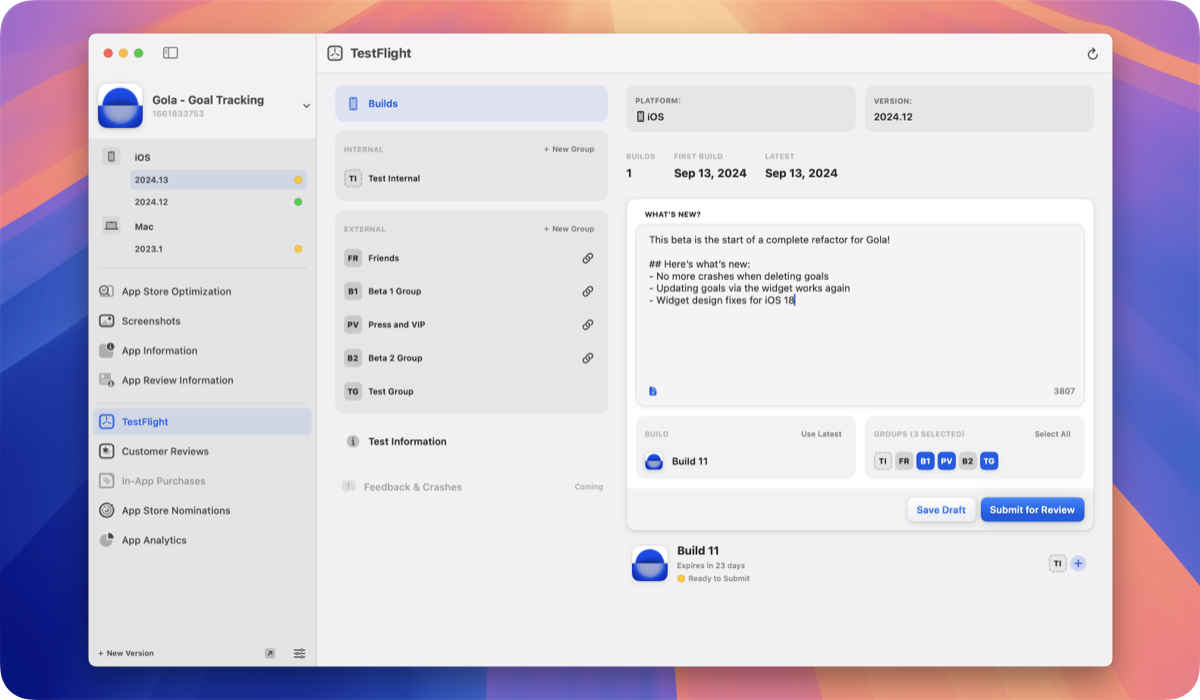
Builds, groups, and invites
Browse builds with expiration and compliance status. Create tester groups, use group aliases to attach builds quickly, and share public recruiting links when you want wider beta reach.
Invite testers by email, CSV, existing testers, or Contacts on iPhone. Scan or share group links with QR when you’re collecting testers in person.
- Submit builds for beta App Review
- Edit What to Test and beta app information
- Draft a store release from a TestFlight build on Mac
What to Test and feedback
Write clear What to Test notes so betas know where to focus. Review TestFlight feedback and crashes, mark items done, and keep the queue moving.
Open feedback in Xcode when a crash needs a closer look. Stay notified on iPhone when new feedback arrives.
Issues in GitHub, Linear, and more
Turn feedback into work: create issues in GitHub or Linear, or send items to Things and Tasks. Free includes limited integration usage. Pro unlocks unlimited feedback integrations.
Automate related TestFlight workflows with helm-asc when agents or scripts are part of your loop.
FAQ
Can I invite TestFlight testers from my Contacts?
Yes on iPhone. Helm’s native invite flow supports Contacts, email, CSV, existing testers, and Helm Passport stamps.
Can TestFlight feedback become a GitHub or Linear issue?
Yes. Create issues from feedback in GitHub, Linear, Things, or Tasks. Free plans include limited integration usage. Pro unlocks unlimited feedback integrations.
Does Helm support What to Test?
Yes. Edit What to Test and beta app information per localization so testers know what changed and what to focus on.
