
Prepare nominations editors can notice.
App Store Nominations are how you pitch featuring. Helm helps you draft from content you already have, keep upcoming pitches organized, and export when it’s time to submit.
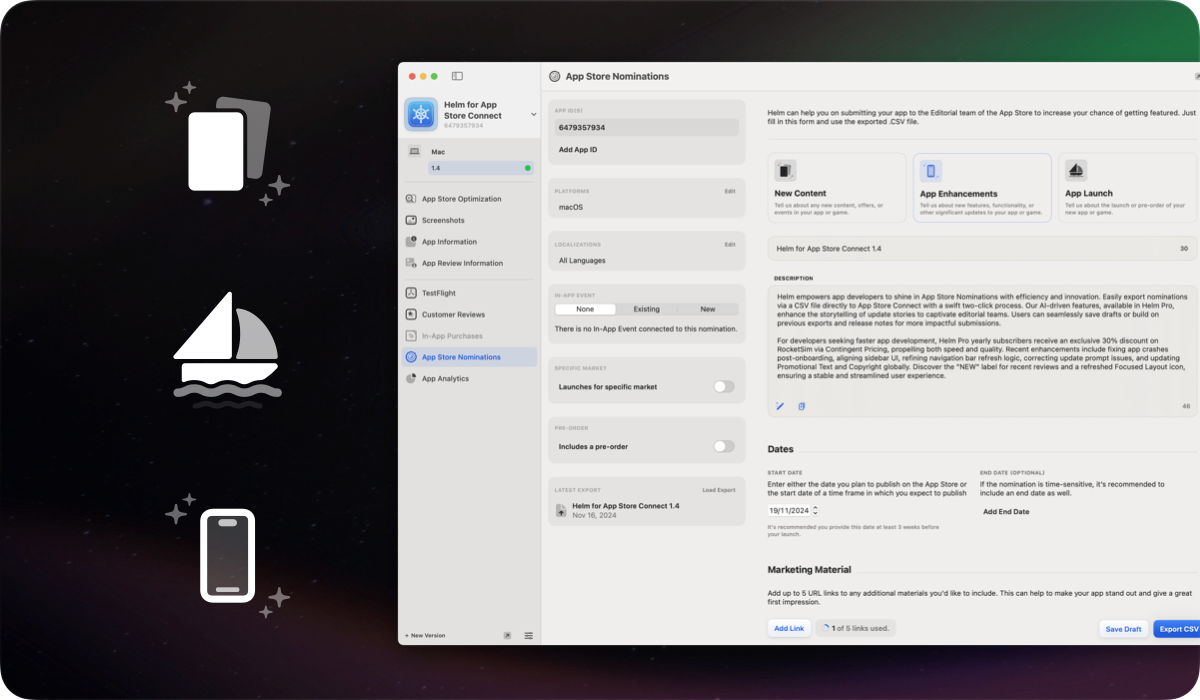
Drafts, upcoming, and past nominations
Browse draft, upcoming, and past App Store Nominations in one place on Mac instead of hunting through scattered notes.
Start from What’s New text or previous exports so you’re not staring at an empty form every time you want editorial attention.
Marketing materials and in-app events
Prepare marketing materials and link in-app events when your pitch includes a timely moment on the product page.
Pro users get AI assistance for persuasive update stories, plus the ability to save drafts for future launches.
Export and submit
Export nominations to CSV for App Store Connect and submit when the story is ready. Free can view nominations. Pro unlocks save, submit, and archive.
Nominations are a macOS workflow today. Keep shipping from iPhone with releases and TestFlight while you polish featuring pitches at your desk.
FAQ
Are App Store Nominations free in Helm?
Free can view nominations. Helm Pro unlocks saving, submitting, and archiving nominations, plus AI help for stronger update stories.
Can I reuse What’s New for a nomination?
Yes. Import from What’s New or previous exports so your featuring pitch starts from copy you’ve already written for the release.
Do nominations work on iOS?
App Store Nominations are available on macOS. The iOS app focuses on companion workflows like releases, listings, TestFlight, reviews, and discounts.
