
App Store subtitle examples that fit 30 characters.
Your subtitle sits under the name in search results and on the product page. These examples show clear category promises across common app types. Adapt them, count characters, and preview in Helm before you ship.
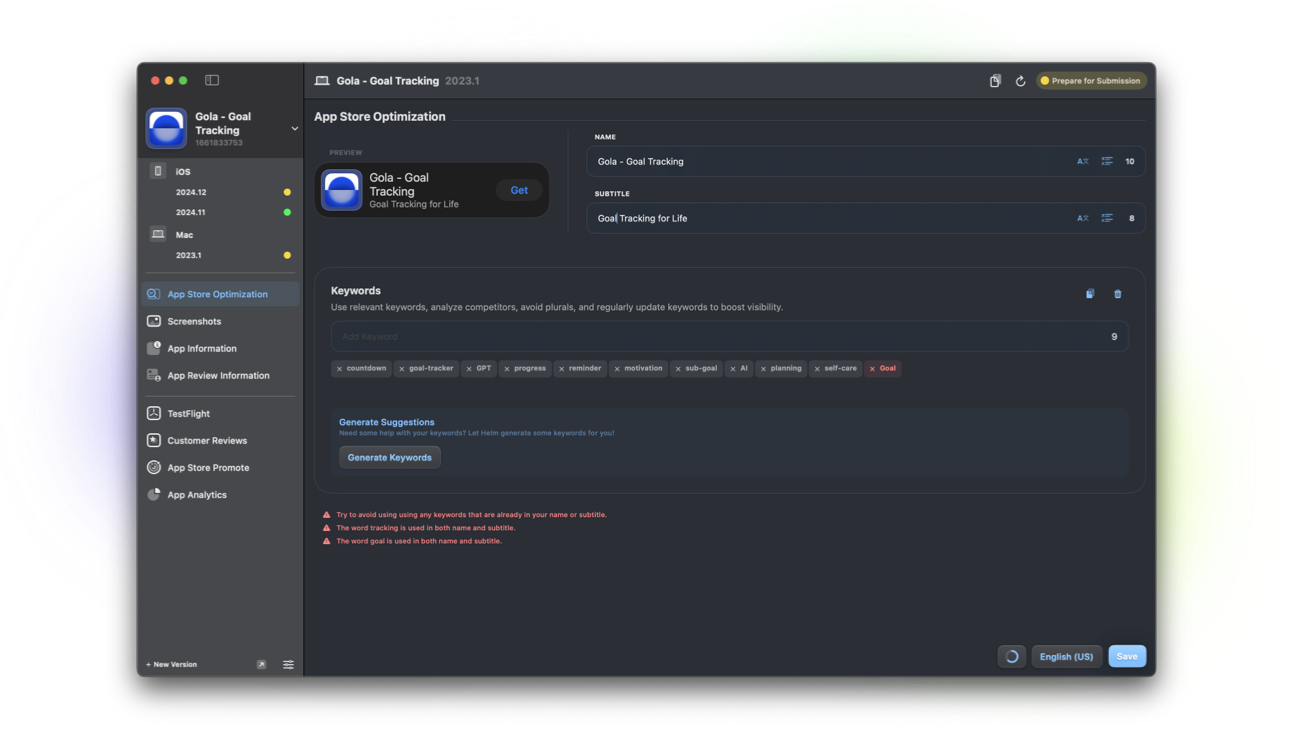
Tips for the 30-character limit
Lead with the outcome or category, not a second slogan. Skip words already in your app name. Apple indexes the name separately, so repeating the brand wastes scarce space.
Write for search-result scanning. If it only makes sense after reading the description, it is too clever for a subtitle.
- Count characters after localization; translations often grow
- Prefer concrete nouns and verbs over vague adjectives
- One promise beats a comma-stuffed feature list
- Preview next to your icon and name before you lock it
Productivity
Tasks, notes, and focus apps should name the job in plain language.
Examples: “Tasks & projects, calmly”, “Notes that stay organized”, “Focus timer for deep work”, “Daily planner for busy weeks”.
Health & fitness
Be specific about the habit: track, train, recover, or sleep. Avoid medical overclaim.
Examples: “Workout log & progress”, “Sleep insights, simply”, “Habit tracker that sticks”, “Walk, run, and recover”.
Photo & video
Name the craft: edit, capture, organize, or share. Shoppers compare tools fast.
Examples: “Photo editor for creators”, “Film looks in one tap”, “Albums you’ll actually use”, “Capture. Edit. Share.”
Indie game
Hint at genre and vibe without spoiling the pitch. Keep it playful, not vague.
Examples: “Cozy puzzle adventure”, “Roguelike deck battles”, “Pixel platformer thrills”, “Build, explore, survive”.
Developer tool
Say who it is for and what it ships. Developers skim for stack and job-to-be-done.
Examples: “API client for iOS teams”, “Log viewer for debugging”, “SSH from your iPhone”, “CI status in your pocket”.
Finance
Clarity builds trust. Name budgeting, tracking, or invoices without hype.
Examples: “Budgeting made clear”, “Expense tracker for freelancers”, “Invoices on the go”, “Net worth at a glance”.
Education
Call out the subject or learning format. Parents and learners want the outcome.
Examples: “Learn Spanish daily”, “Flashcards that stick”, “Math practice for kids”, “Study plans that adapt”.
Travel
Promise planning, offline help, or trip memory. Keep it useful in one line.
Examples: “Trips planned, stress less”, “Offline maps & guides”, “Packing lists that travel”, “Itineraries you’ll follow”.
Ship subtitles in Helm
Edit name and subtitle with character guidance in store listing, preview the search look, and localize the line for every market you maintain.
Related: keyword examples, manage keywords, and localize your listing.
FAQ
How long can an App Store subtitle be?
The subtitle field is limited to 30 characters. Count after translation, because German, French, and other locales often need a tighter rewrite.
Should the subtitle repeat my app name?
No. The name is already indexed and visible. Use the subtitle for category clarity or the main benefit.
Can I change the subtitle without a new binary?
Subtitle changes go through your app version metadata and typically ship with a version submission. Plan them alongside the release you are preparing in Helm.
